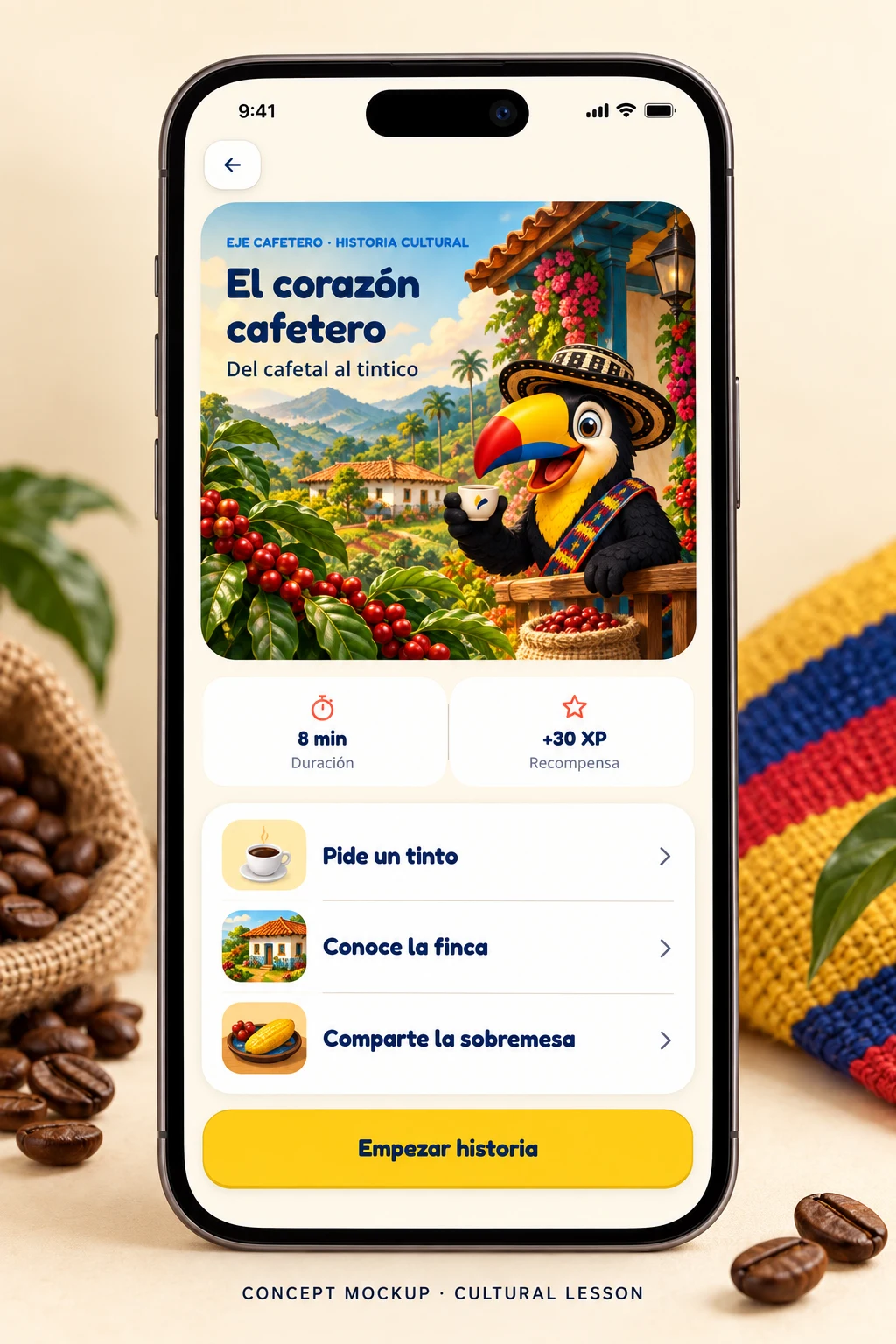
A coffee-country lesson that ties the word tinto to the Eje Cafetero and the everyday act of sharing one.
Mobile app · Language learning · Cultural design
Learning Colombian Spanish through culture, character and regional voice.
A mobile-first product that teaches beginners how Colombia actually sounds. Every screen here comes from the current build — nothing is faked.
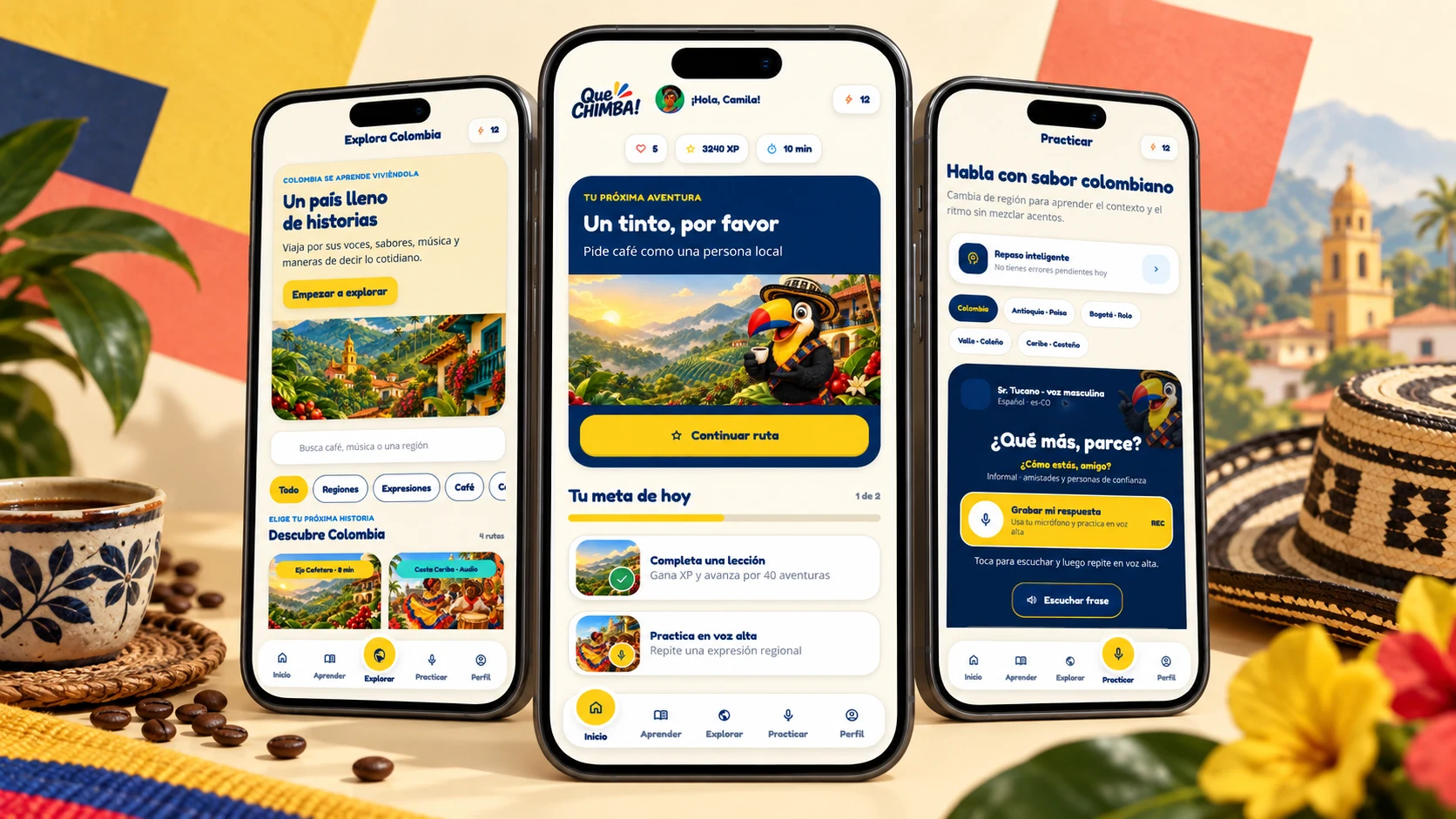
Role: Product Designer · UX/UI — product strategy, flows, information architecture, visual design, character and voice, prototyping and mobile QA.
Product snapshot
The scope is designed, not measured. No launch metrics, user counts or conversion numbers are claimed — the product is still in development.
Every feature is built so a beginner learns how Colombia actually sounds — the phrase, the region and the moment it belongs to, held inside one lesson.
40
Adventures
One map of Colombia · A1 to B2
4
CEFR levels
A1 to B2
5
Onboarding steps
Cuenta · Avatar · Tu plan · Nivel · Listo
5
Nav destinations
Inicio · Aprender · Explorar · Practicar · Perfil
Role
Product Designer · UX/UI Designer
Platform
iOS & Android · Mobile-first
Status
Live prototype · in development
The problem and the opportunity
Most apps teach one standardized Spanish, so a beginner can memorize vocabulary and then freeze the moment a real Colombian speaks at natural speed.
The opportunity is context-first learning: regional voice, cultural meaning and a character guide that make authentic Colombian Spanish approachable from the very first lesson.
What standardized apps teach
What learners actually face
Design principles
Each one answers a specific beginner problem and traces back to concrete interface decisions in the live build.
A phrase without context is just a translation. Every lesson opens with where the expression comes from, who uses it and when it fits.
Regional rhythm is the hardest part of Colombian Spanish, so audio leads and the written form follows as support.
Two guides split the cognitive work — one motivates and gives context, the other clarifies — so help arrives exactly when a learner is stuck.
Hearts, XP, a daily goal and warm character reactions turn small daily wins into the reason a learner comes back tomorrow.
The core experience
Each screens is shown straight from the live build, one per moment, at full device size. Together they are the evidence for how the product behaves.
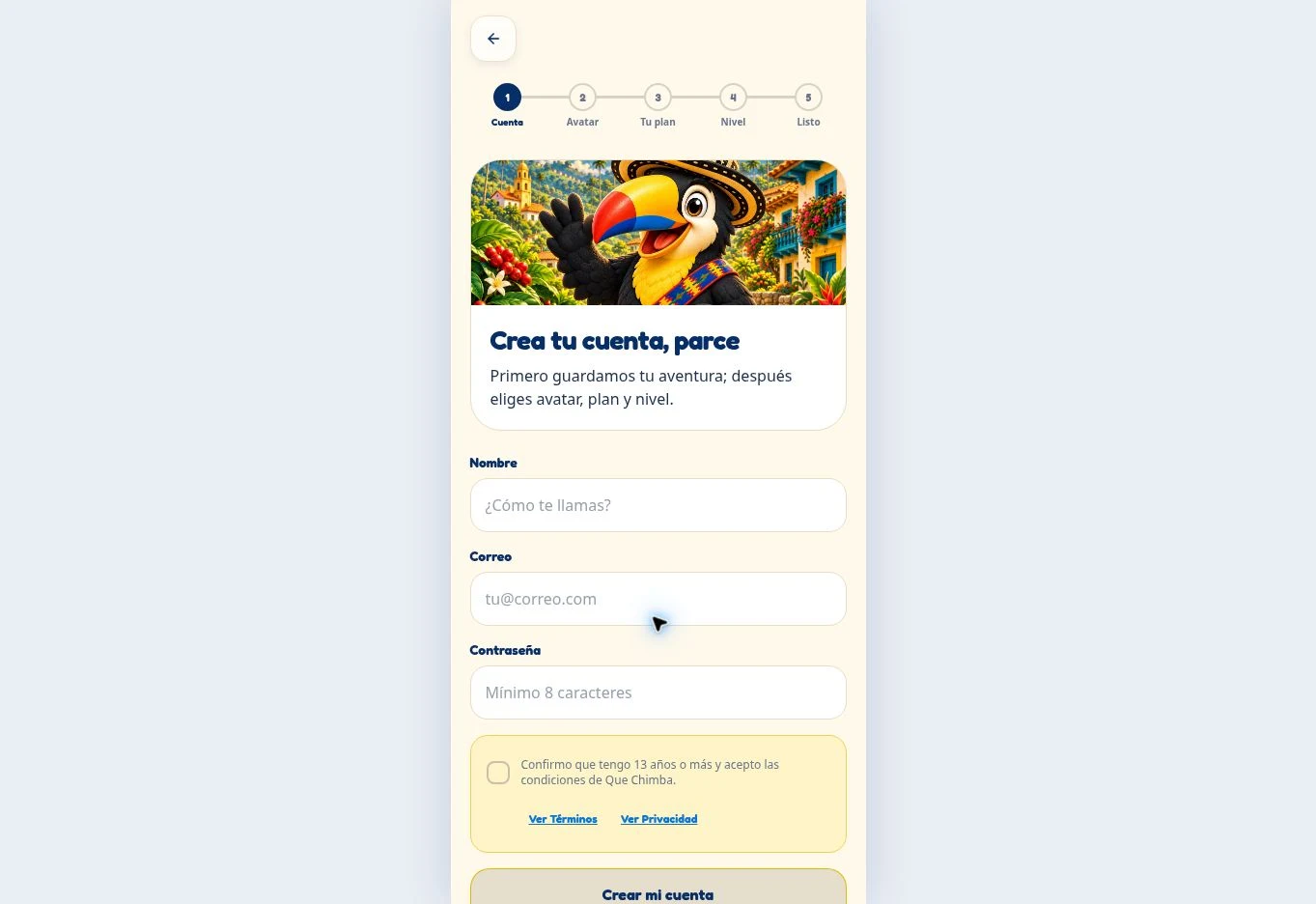
Setup becomes the first lesson.
Create-account runs as five short steps — Cuenta, Avatar, Tu plan, Nivel, Listo — so setup feels like the start of the journey rather than admin work.
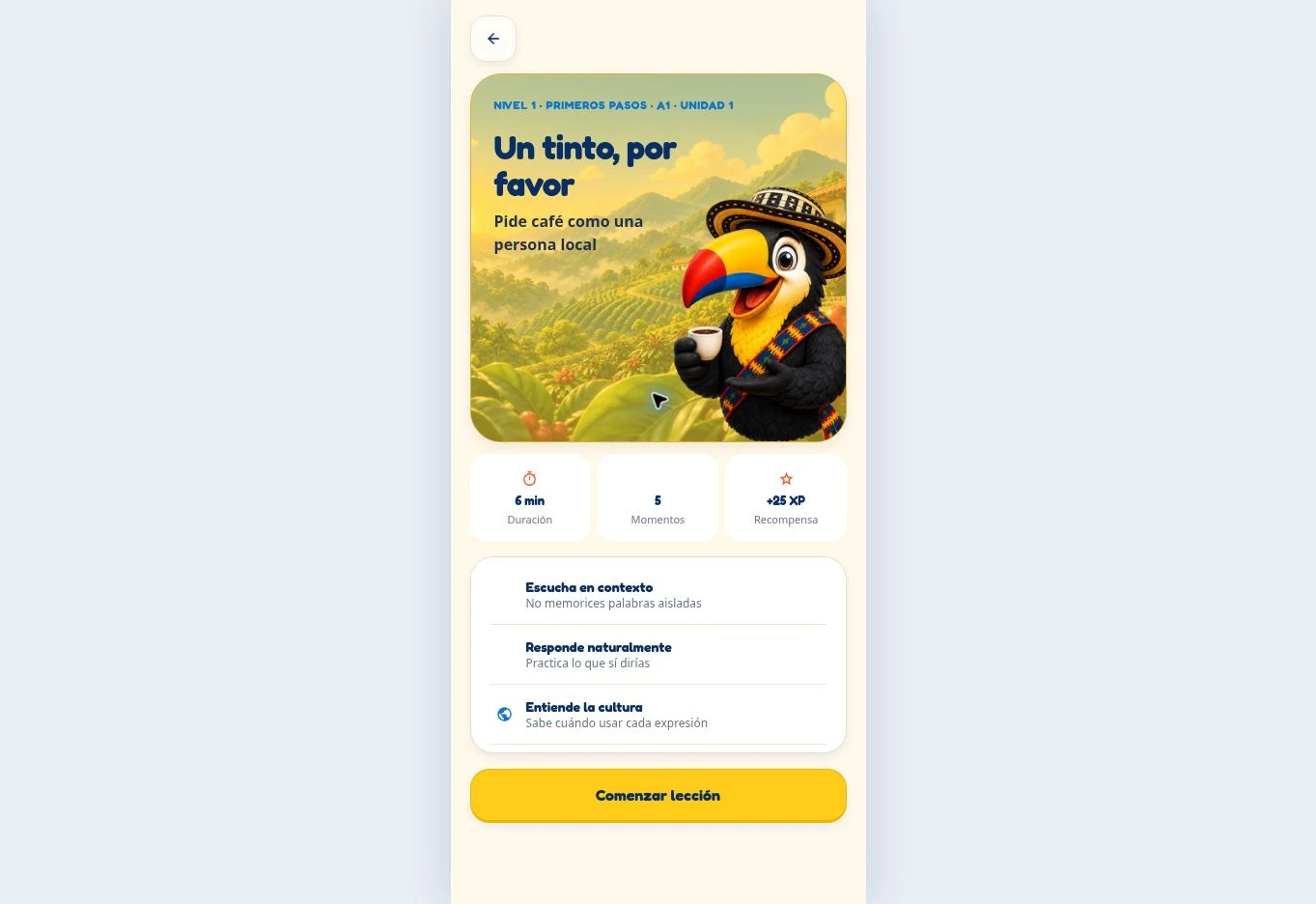
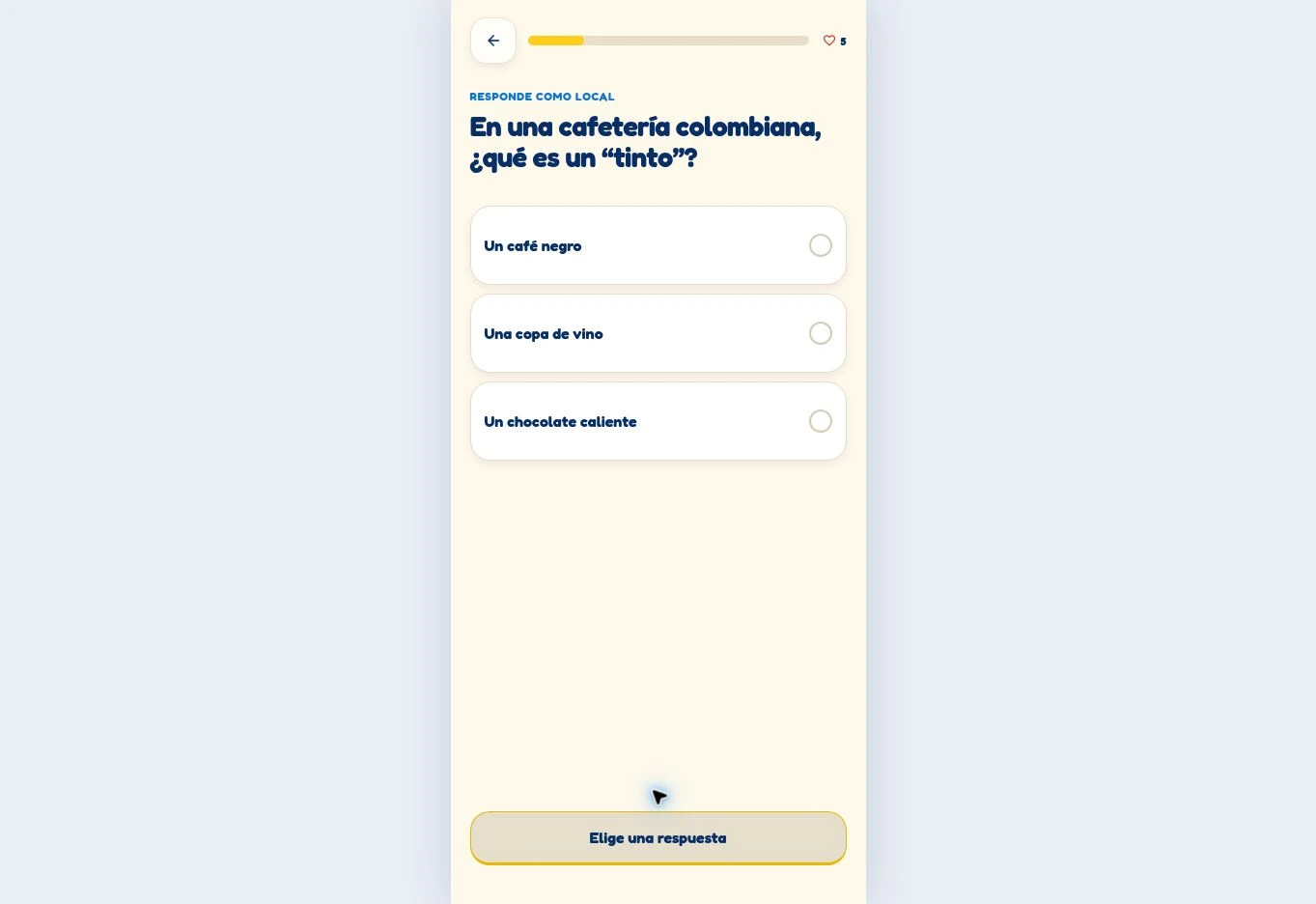
Set the culture, then ask one clear question.
A lesson opens with duration, moments, XP and three promises from Sr. Tucano. The first activity asks what a tinto is — meaning lands before memorizing begins.
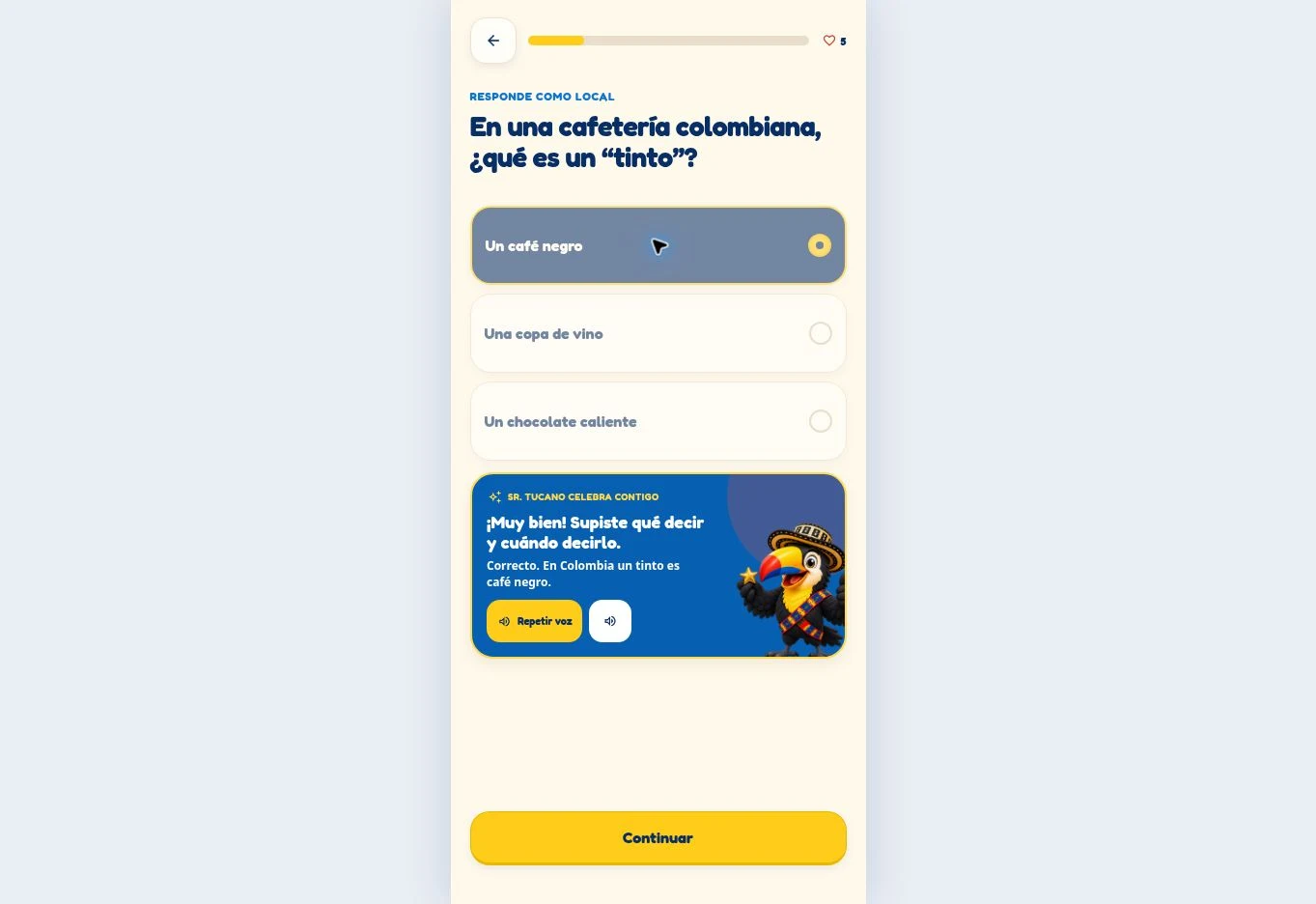
Corrections can be kind and clear at once.
The chosen answer is confirmed, explained in one plain line and celebrated by Sr. Tucano, with a Repetir voz replay control kept one tap away.
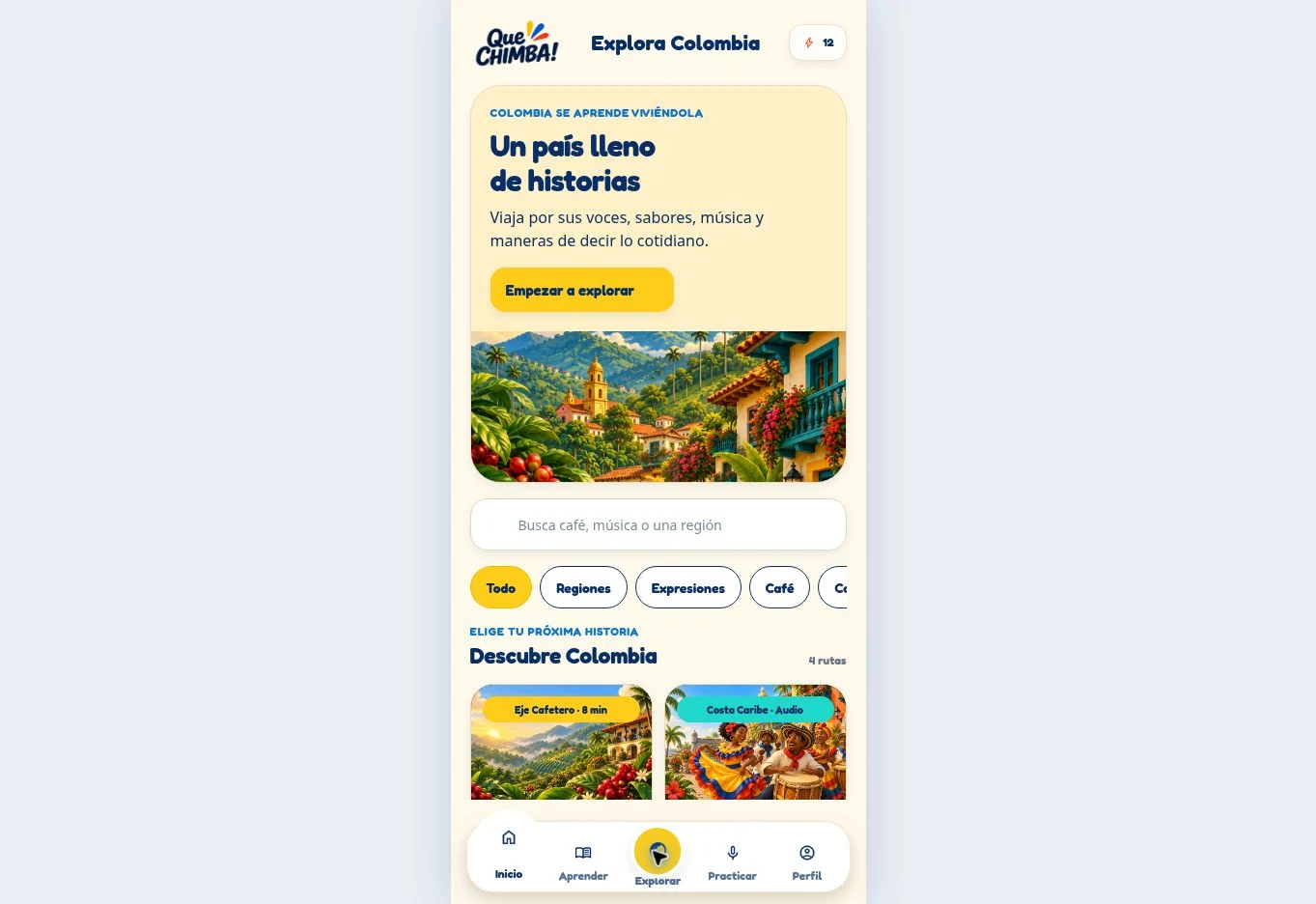
Culture earns its own space.
Explora Colombia collects regional stories, food, music, coffee and expressions with search and filters — culture as something learners choose, not a side note.
Progression
Mi ruta turns the whole course into a map of Colombia. Completed, current and locked states sit in one continuous sequence, so a beginner always knows where they are and what comes next.
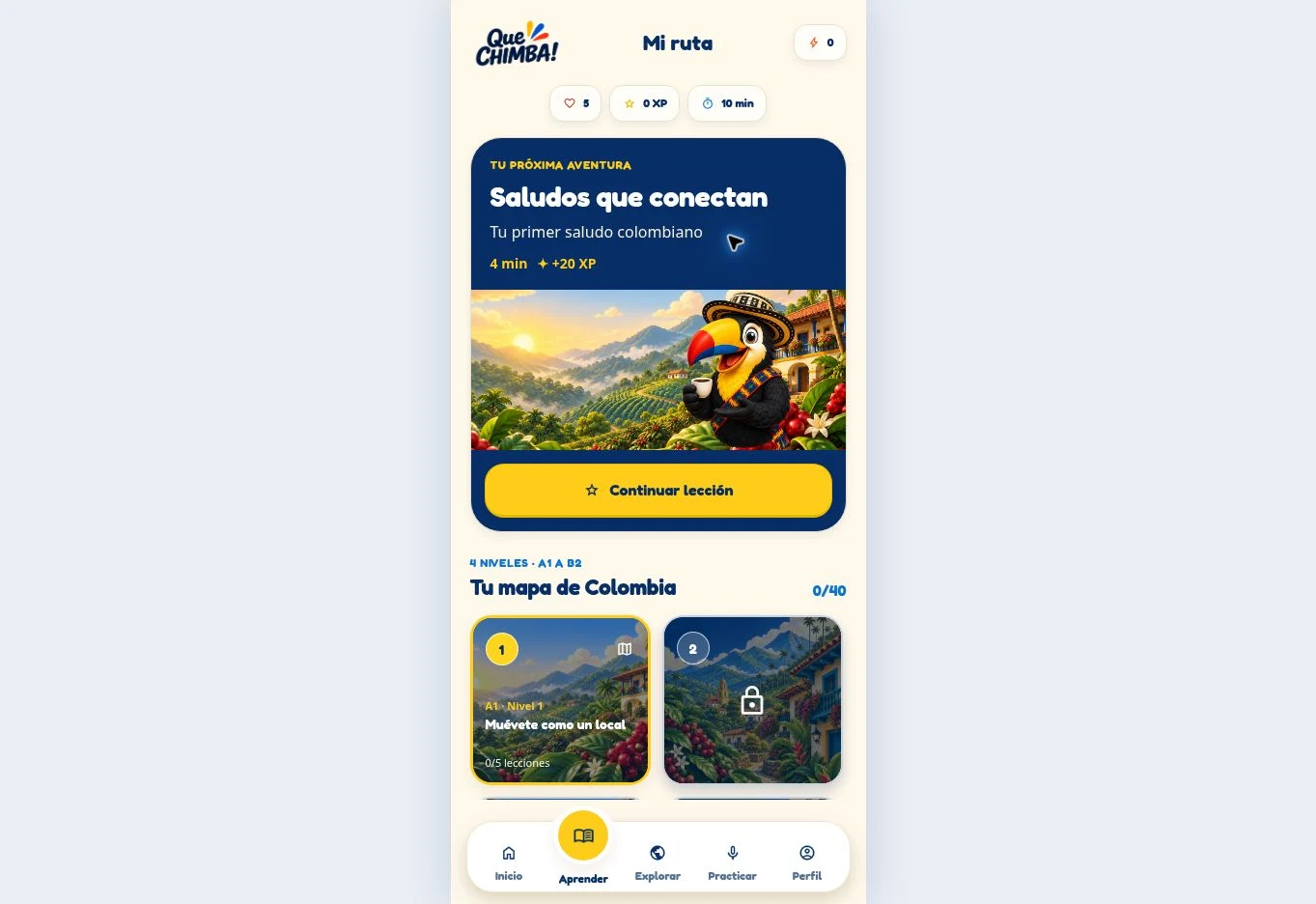
Mi ruta opens on the next adventure and the active level, with the first locked level previewed directly underneath — the map reads as progress at a glance.
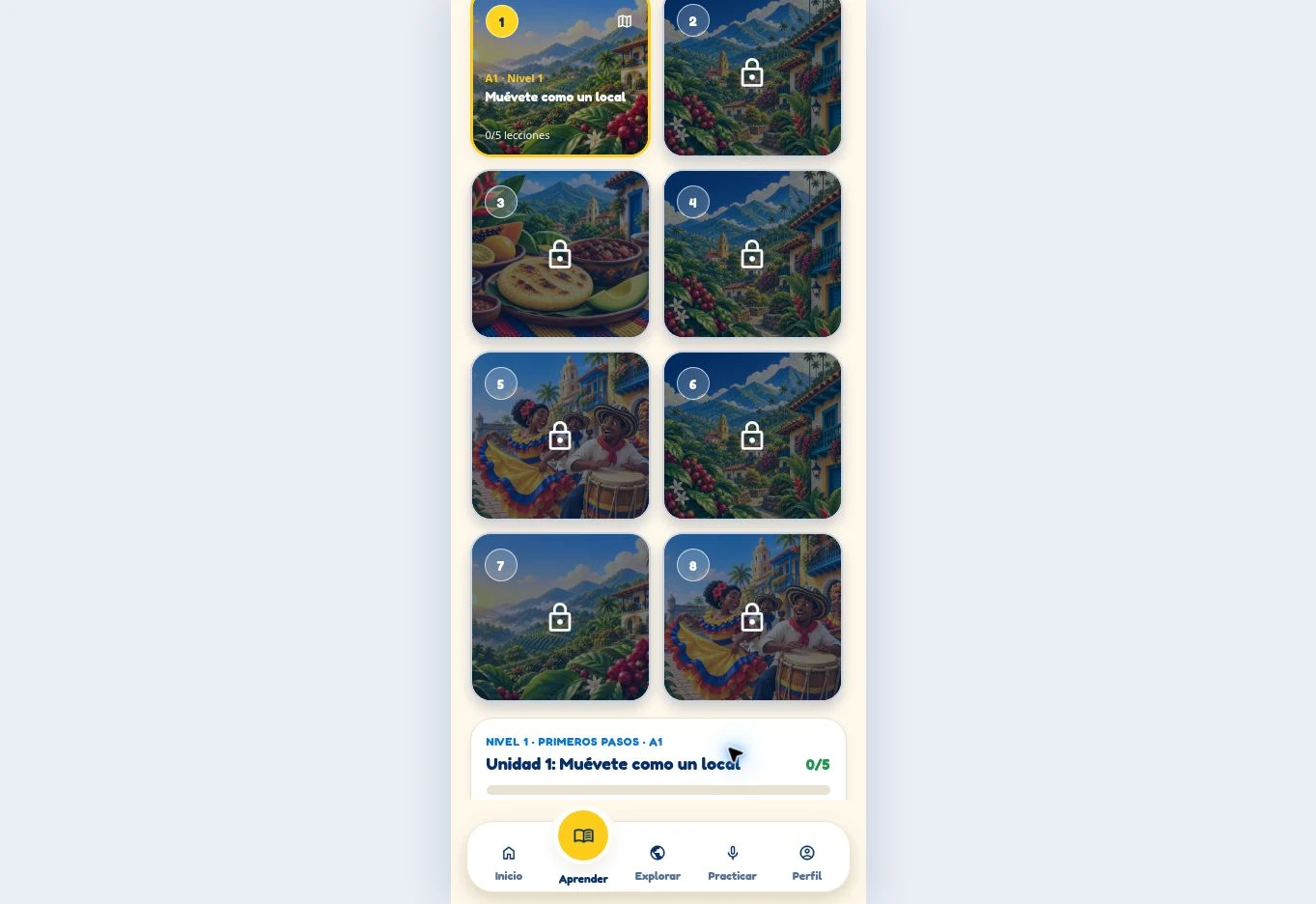
Scrolling further reveals locked levels two to eight, each framed by its own regional artwork — the roadmap shows how much variety and how much distance remain ahead.
Roadmap
0 de 40
Culture as content
Three directions that take the live Explore Colombia system one step further. They are high-fidelity proposed concepts — not shipped screens.
A coffee-country lesson that ties the word tinto to the Eje Cafetero and the everyday act of sharing one.
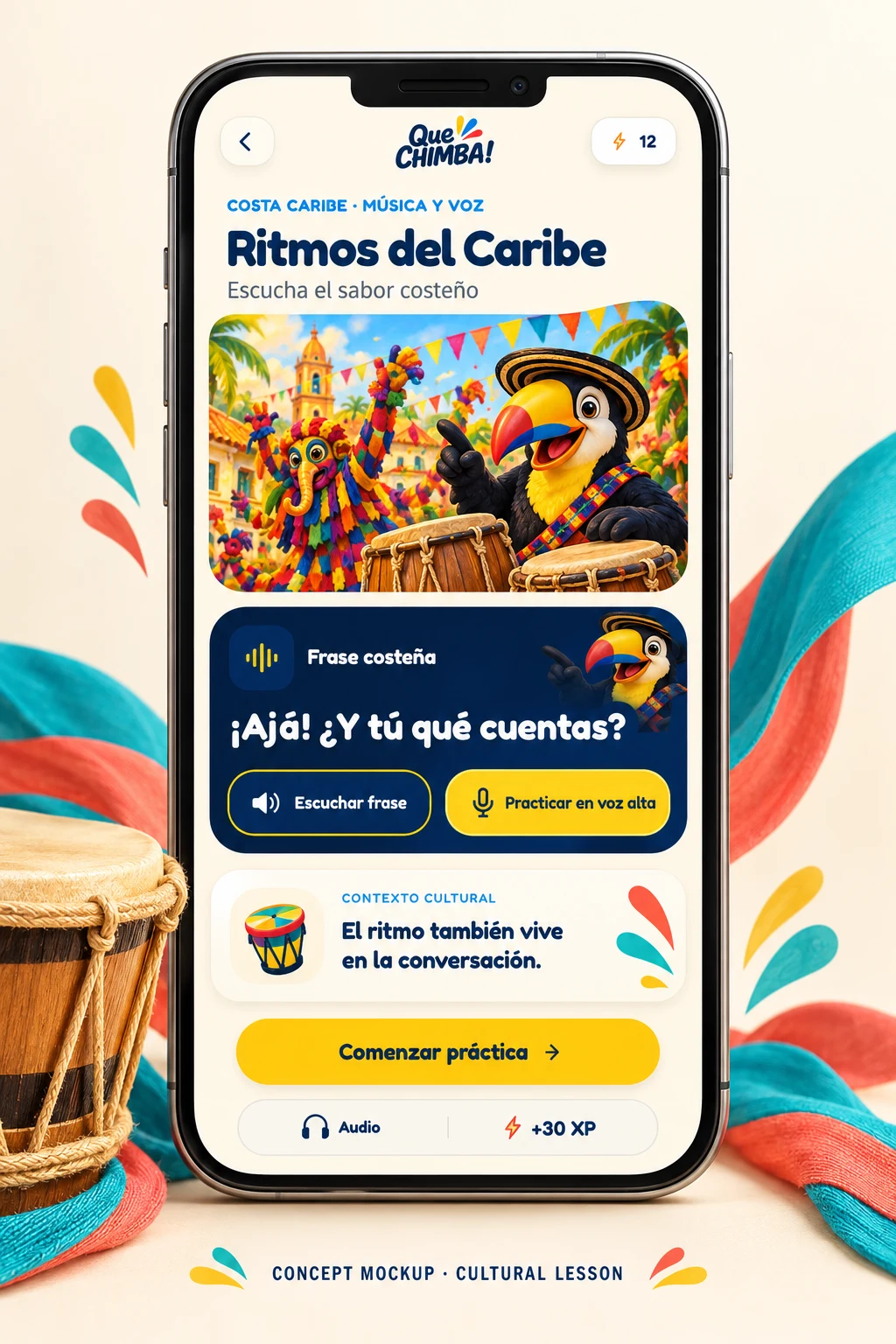
A costeño lesson where the phrase is heard, replayed and then spoken back in the learner’s own voice.
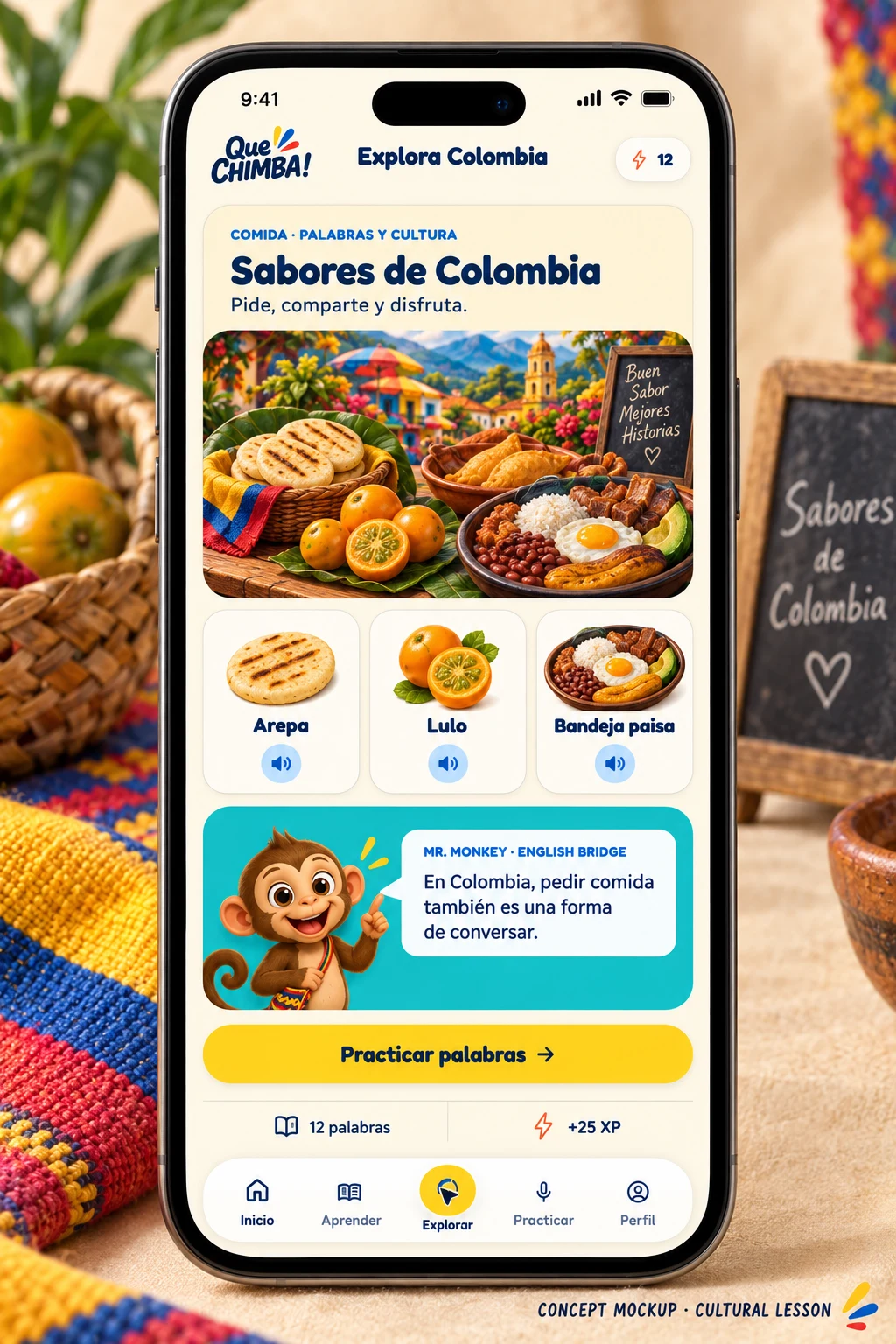
Food words and cultural notes sit together, with the English Bridge available where a literal translation would mislead.
Two guides, distinct jobs
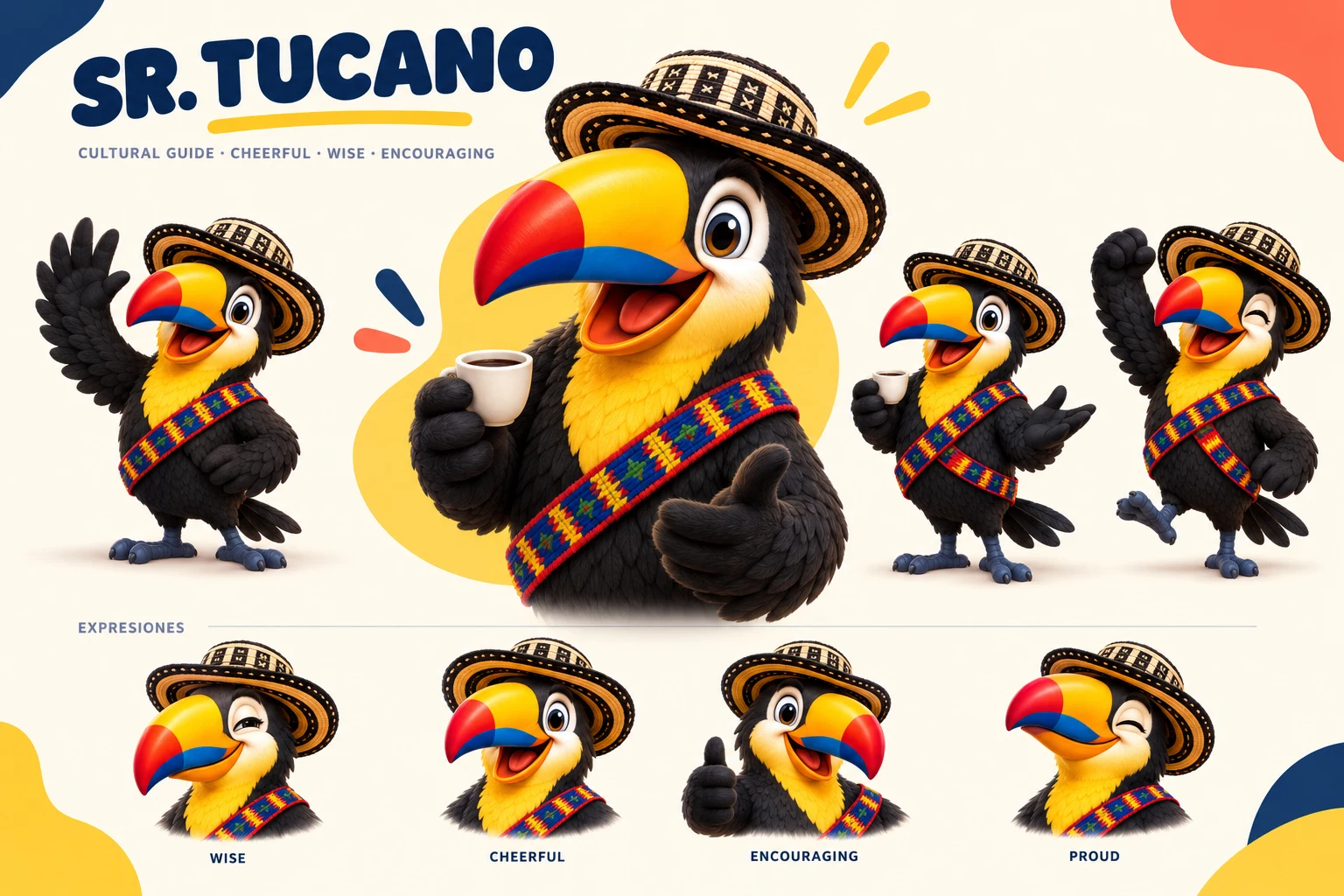
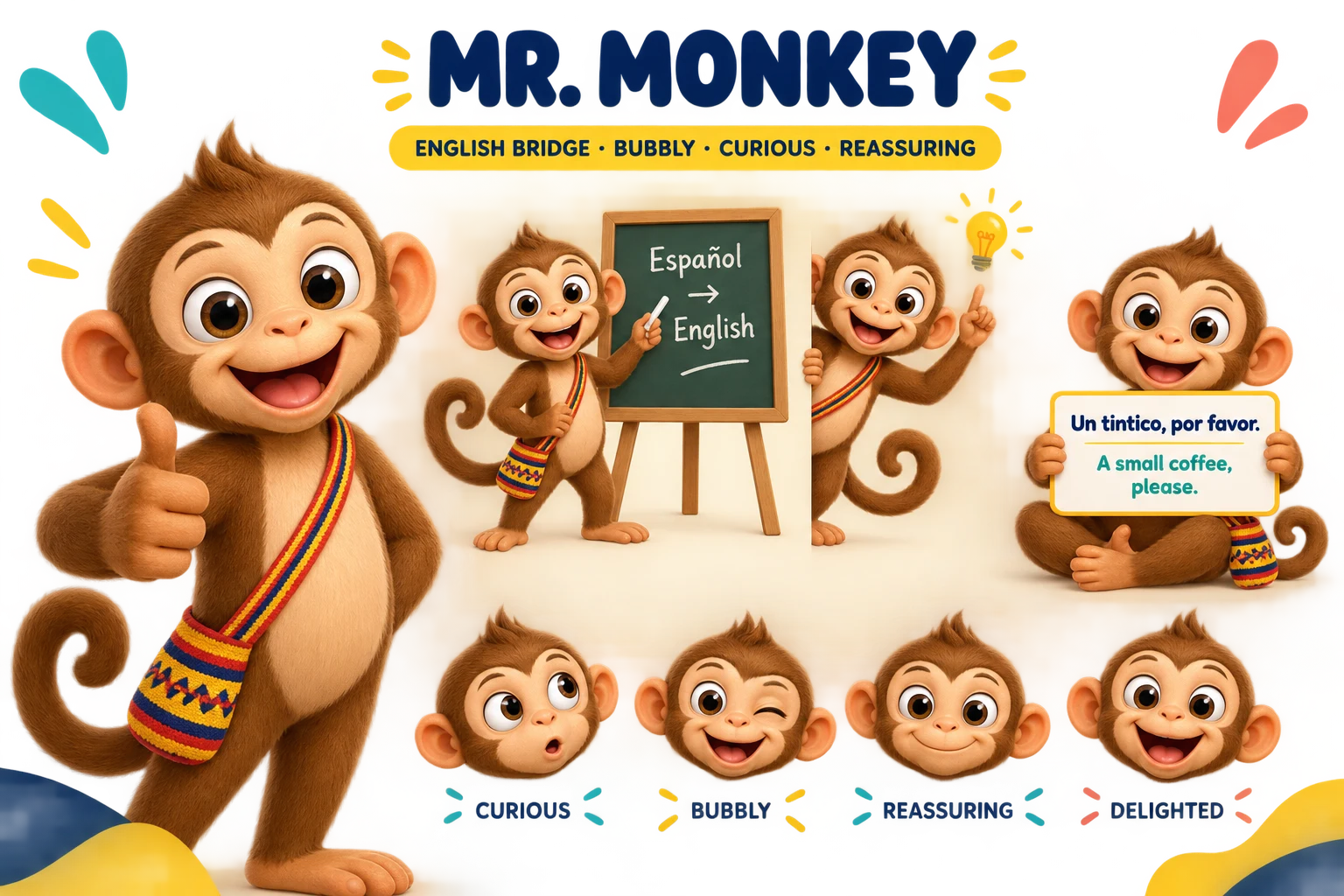
Sr. Tucano is live in the current build. Mr. Monkey is the bilingual English Bridge, shown as an approved direction board rather than shipped screens. Regional accents remain under ongoing validation.
Sr. Tucano
Cheerful Colombian guide
Motivates and gives cultural context in Colombian Spanish (es-CO).
Mr. Monkey
Bilingual English Bridge
Clarifies meaning in English when a phrase does not carry over literally.
Tone of voice, side by side
Purpose
Motivates · gives cultural context
Clarifies · prevents confusion
Language
Leads in Colombian Spanish
Bridges meaning into English
Message length
One short line of encouragement
One short tip or clarification
Never sounds
Deep or stern
Heavy or academic
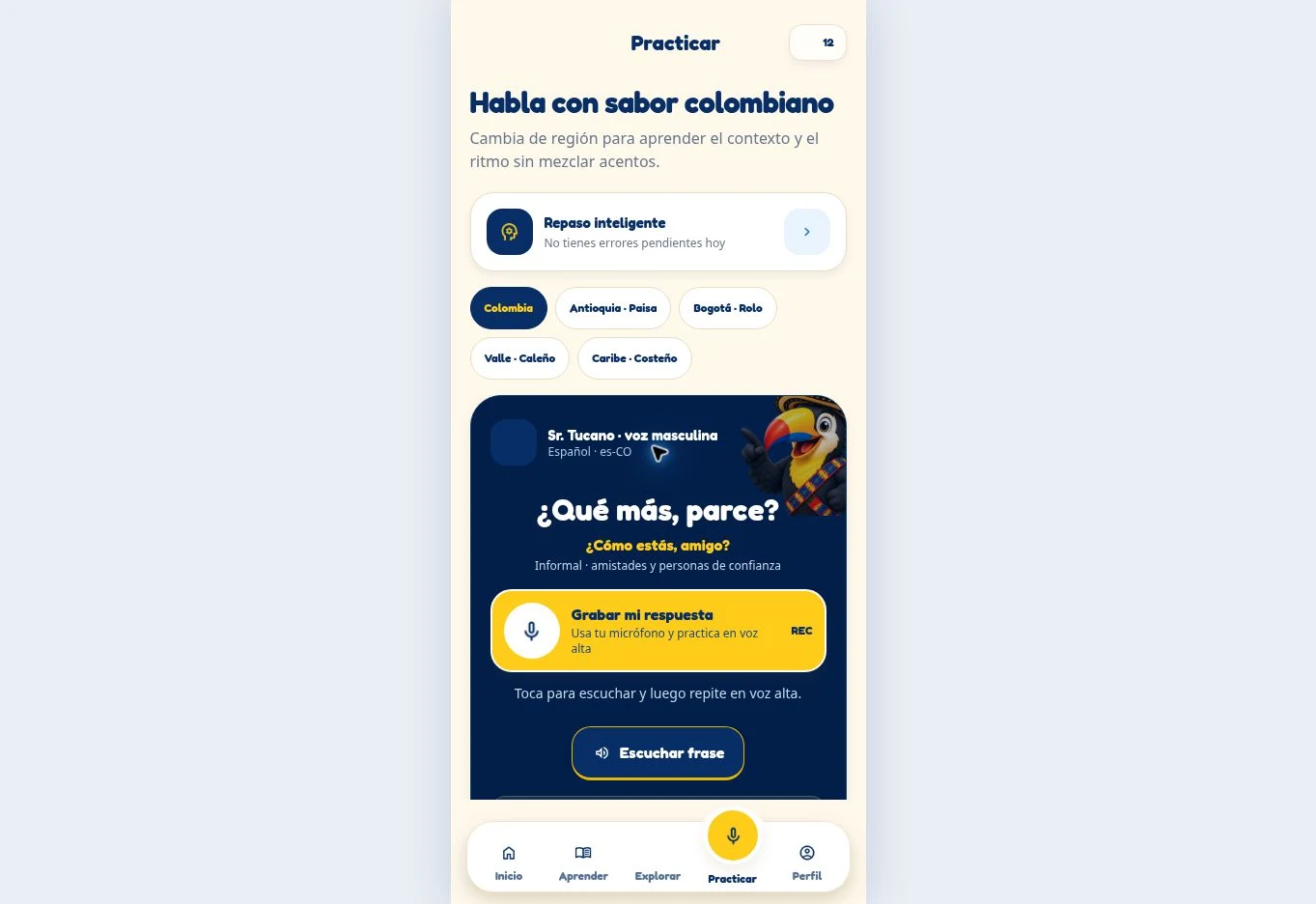
The five region switches — Colombia, Antioquia · Paisa, Bogotá · Rolo, Valle · Caleño and Caribe · Costeño — isolate one accent at a time. Voice refinement and speaker validation are still ongoing; nothing here is claimed as production-final.
Iteration, QA & accessibility
These problems surfaced while reviewing the build on devices as I iterated. They are design and QA iterations, not a documented user study — no measured outcomes are claimed.
Overlapping first-screen text
Rebuilt the screen into a strict vertical rhythm: one headline, one helper line, full-width option rows and generous spacing.
Button colliding with the character
Reserved a character safe area and moved the primary action below it, keeping the full pose and a full-width hit target.
Logo clarity
Repositioned and rescaled the brand mark so it sits fully inside the safe area and stays crisp on every device.
Unclear language choice
Added explicit labelling, including the Español de Colombia badge, so the target language is unmistakable.
Unclear audio state
Added visible playing, replay and recording states — Repetir voz, Escuchar frase and a REC indicator.
Accessibility commitments
Outcome & next validation
These are design deliverables, not performance results. No user counts, conversion rates or test percentages are claimed, because the product is still in development.
What was learned
01
Review each regional accent with native speakers from that region.
02
Test whether beginners understand the language framing before sign-up.
03
Check whether the record-and-listen practice feels clear and fair.
04
Confirm playback, replay and recording states on real devices.
Design System 1.0
Every specimen below is drawn from the live product — the same buttons, chips, cards and navigation a learner actually taps.
Que Chimba Design System 1.0
Colour tokens
Warm off-white
#FFFDF7
White
#FFFFFF
Deep Navy
#08214F
Navy Ink
#04142F
Colombian Yellow
#FFC61A
Coral
#F04E37
Sky
#2997FF
Turquoise
#14B8B1
Line
#E7E0CE
Ink
#4B4F63
Typography
Montserrat
Display, headings and labels.
Lato
Body and interface copy.
Primary CTA
Yellow fill with a navy label — Empieza gratis and Continuar lección.
Stat chips
Compact white pills for hearts, XP and daily time.
Eyebrow / unit label
An uppercase label that frames the moment or the unit.
Progress bar
Warm neutral track, Colombian yellow fill, a visible 0/40 counter.
Level card
Muévete como un local
1 de 5 lecciones
Muévete como un local
Bloqueado · 5 lecciones
Scenic regional artwork with a level badge and lesson count, plus the locked state used deeper in the path.
Answer states
Default, selected, correct and disabled — the four states every activity uses.
Audio replay
A yellow replay control beside a bare speaker button.
Type scale
56 · 44 · 18 · 16 · 15
Montserrat for display and labels, Lato for body copy.
Colour tokens
#FFC61A · #08214F
Saturated app palette on warm off-white and deep navy.
Radius
4 · 12 · 22 px
Four steps cover pills, cards and full-round controls.
Spacing
8 · 16 · 24 · 32 px
An 8 px rhythm drives gaps, padding and stacking.
Bottom navigation
The five destinations, with Aprender active in yellow.
Character card
Sr. Tucano · guía
¡Muy bien! Supiste qué decir y cuándo decirlo.
The deep navy guidance card, using the live Sr. Tucano asset.
Accessibility
4.5:1 body contrast44 px targetsVisible focusReduced motionClosing
Que Chimba shows my full range: product strategy, information architecture, character and voice design, a complete mobile interaction system, and a documented, honest QA process — all built around real cultural context rather than a template.